Technology Spelling Words: A Guide for Teachers, Parents, and Students
Technology words are everywhere in student writing now. Students write about apps, passwords, online classes, gaming, artificial intelligence, cybersecurity, websites, and digital tools. They also use technology words in emails, school assignments, résumés, project reports, and college applications.
Because these words feel familiar, students often assume they can spell them correctly. But recognizing a word in a text is not the same as spelling it accurately in their own writing.
Many technology words are not difficult because students have never seen them before. They are difficult because they require specific spelling decisions: one word or two, hyphen or no hyphen, capital letter or lowercase letter, double letter or single letter, -ible or -able, ph or f.
Technology spelling deserves more direct attention because these are now some of the words shaping students’ academic, digital, and professional futures. Students are not only reading these words. They are using them to explain ideas, describe skills, complete assignments, and communicate in increasingly digital spaces.
In the sections that follow, I have organized technology words by the kind of spelling problem they create. This gives teachers, homeschool parents, tutors, and students a practical blueprint for spotting common technology spelling errors before they become repeated habits in formal writing.
1. One Word or Two?
One of the most common problems in technology spelling is spacing. Many tech words began as separate words or hyphenated forms, but are now commonly written as one word.
For students, this can be confusing because the two parts of the word are still easy to recognize.
For example:
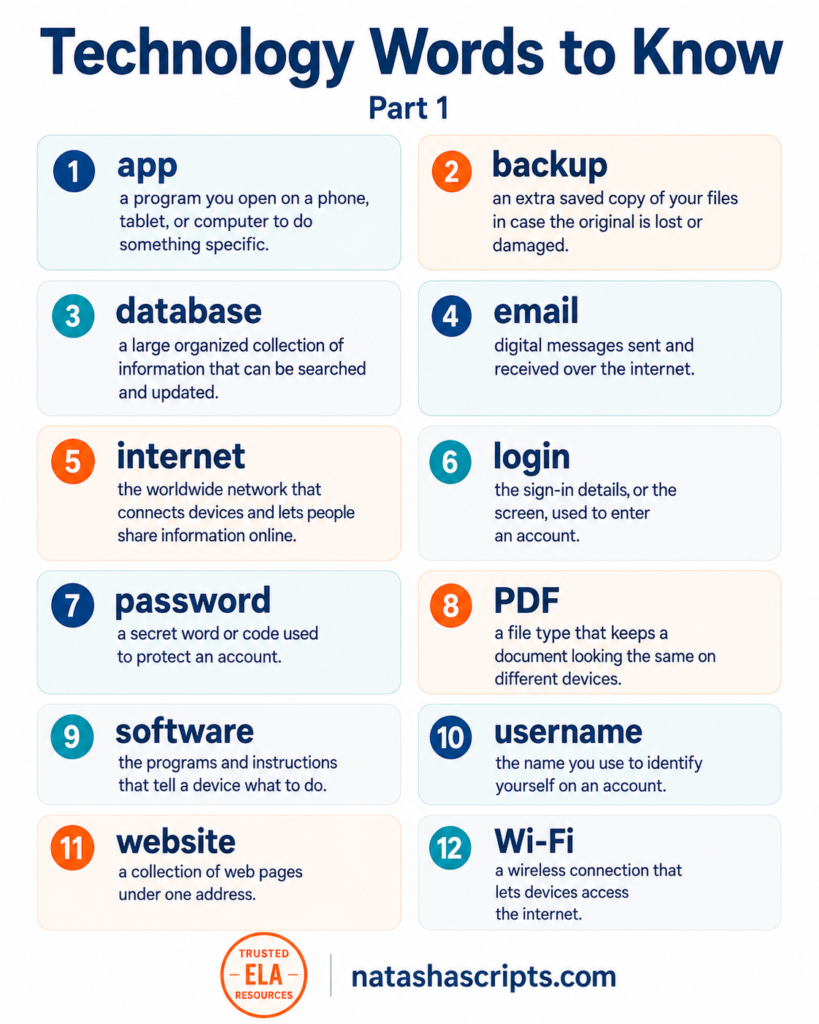
- data + base becomes database
- soft + ware becomes software
- web + site becomes website
- user + name becomes username
- tool + bar becomes toolbar
The common spelling errors are predictable:
- data base instead of database
- soft ware instead of software
- web site instead of website
- user name instead of username
- tool bar instead of toolbar
These may look like small mistakes, but they matter. In formal writing, students need to use the accepted form of the word, not just a version that makes sense to them.
A useful teaching strategy is to show students that many everyday technology words have “settled” into one-word spellings. Once a word becomes common enough, the space often disappears.
That does not mean every tech phrase becomes one word. It means students should be trained to notice when a technology term has a standard spelling.
2. When a Space Changes the Grammar
Some technology spelling errors happen because the same idea changes spelling depending on how it is used in the sentence.
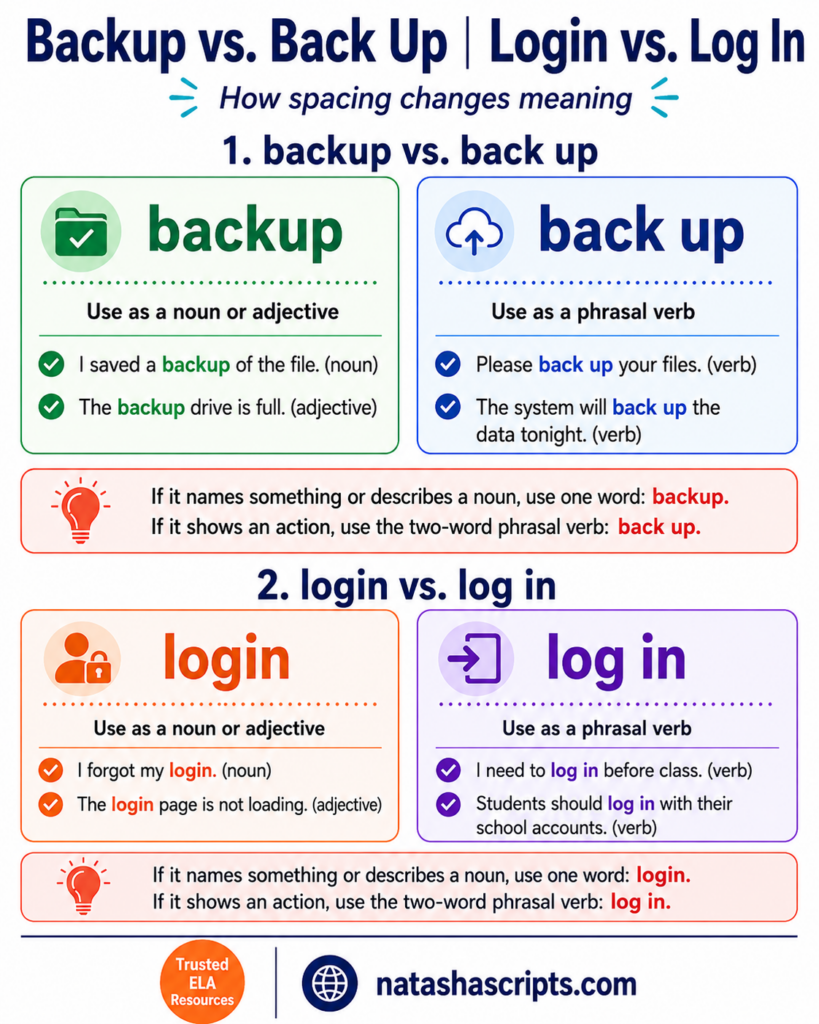
This is especially common with backup and back up.
Use backup as a noun or adjective:
I saved a backup of the file. (noun)
The backup drive is full. (adjective)
Use back up as a verb:
Please back up your files. (verb)
The system will back up the data tonight. (verb)
Use login as a noun or adjective:
I forgot my login. (noun)
The login page is not loading. (adjective)
Use log in as a verb:
I need to log in before class. (verb)
Students should log in with their school accounts. (verb)
Common errors include:
- back-up instead of backup
- backup your files when the verb should be back up
- log-in page instead of login page
- login to the website when the verb should be log in
The spelling choice depends on the job the word is doing. If it names something or describes a noun, use one word: backup, login. If it shows an action, use the two-word phrasal verb: back up, log in.
3. Hyphenation
Technology spelling changes over time, and hyphenation is one reason it can feel inconsistent.
Some words have lost their hyphens. Email is now commonly written without a hyphen. Students may still see older forms such as e-mail, but email is the standard modern spelling in most school and workplace contexts.
Other words still usually keep the hyphen.
For example:
- Wi-Fi
- e-commerce
- e-book
Common errors include:
- wifi, WiFi, or WIFI instead of Wi-Fi
- ecommerce instead of e-commerce
- ebook instead of e-book
In this group, students are not choosing a spelling based on sound. They are learning the accepted written form of each word.
4. Capitalization
Technology words also create capitalization problems.
Some words that were once capitalized are now commonly written in lowercase. For example, internet and web are now often treated as ordinary nouns.
Correct modern forms:
- internet
- web
- app
Common errors:
- Internet when lowercase internet is preferred
- Web when lowercase web is preferred
- App in the middle of a sentence when app is just a common noun
However, students should not assume that every technology word is lowercase.
Some words are brand names or acronyms. These keep their capitalization.
For example:
- Bluetooth is capitalized because it is a branded technology name.
- PDF is written in all capital letters because it is an acronym.
- Mac is written with only the first letter capitalized, unless the student is referring to something like a MAC address.
Common errors include:
- bluetooth instead of Bluetooth
- pdf instead of PDF
- MAC computer instead of Mac computer
- WiFi instead of Wi-Fi
A practical rule for students is this: do not capitalize technology words just because they seem important. Instead, learn the standard form each word requires.
Bluetooth is capitalized because it is a branded technology name.
PDF is written in all capital letters because it is an acronym.
Mac is written with only the first letter capitalized, unless the student is referring to something like a MAC address.
5. Suffix Confusion
Some technology words are difficult because of their endings.
Two of the most useful patterns to teach are -ible vs. -able and -or vs. -er.
Technology-related words with -ible include:
- accessible
- compatible
- convertible
Common errors include:
- accessable instead of accessible
- compatable instead of compatible
- convertable instead of convertible
These errors happen because -able is a more familiar ending than -ible.
Then there are words such as:
- processor
- conductor
Common errors include:
- processer instead of processor
- conducter instead of conductor
American spelling also matters in words such as:
- initialize
- synchronize
- optimize
- authorize
In American English, these words usually use -ize, not -ise.
Common errors include:
- initialise instead of initialize
- synchronise instead of synchronize
- optimise instead of optimize
- authorise instead of authorize
For students writing in American English, the -ize ending is the standard.
6. Silent Letters and Unexpected Patterns
Some technology words are tricky because they do not look the way they sound.
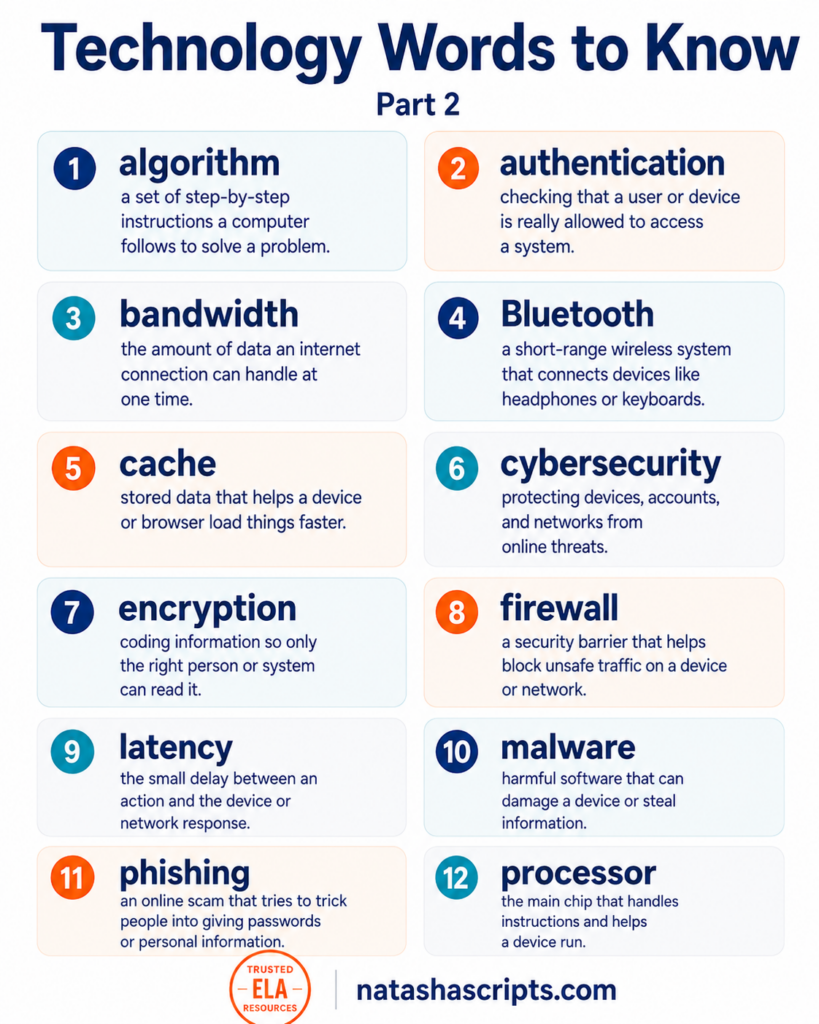
One of the strongest examples is algorithm.
Students may write:
- algorythm
- algoritm
- algorhythm
The mistake often comes from confusing algorithm with rhythm. The ending looks unusual, and students may assume the word needs the same spelling pattern as rhythm. It does not. The correct spelling is algorithm.
Another useful word is phishing. This is not the same as fishing, although it is derived from it.
Phishing refers to a fraudulent attempt to trick someone into giving away private information, often through a fake email or website.
The common error is:
- fishing instead of phishing
This word is worth teaching because the spelling helps signal the meaning. The unusual ph spelling distinguishes the cybersecurity term from the ordinary word fishing.
Other useful examples include:
- queue, often misspelled as que or cue
- cache, which sounds like “cash” but ends with -che
- gigabyte, often confused with gigabite or gigabit
- pixel, often misspelled as pixle
These words show students that pronunciation is only part of spelling. In technology vocabulary, meaning, origin, and convention often matter just as much.
7. Double Letter Traps
Double letters are a major source of spelling mistakes, especially in words students use when writing about systems, devices, programs, and online work.
Common examples include:
- programming
- occurred
- equipped
- accessible
- connection
- password
Common errors include:
- programing instead of programming
- occured instead of occurred
- equiped instead of equipped
- acessible instead of accessible
- conection instead of connection
- pasword instead of password
Students often get confused whether to retain or drop one of the repeated letters.
A good spelling activity is to have students underline the doubled letters:
- programming
- occurred
- equipped
- accessible
- connection
- password
This helps students see the internal structure of the word instead of relying only on memory.
8. Foreign-Origin Words
Many technology words come from Greek, Latin, French, or other languages. That history often explains why they do not follow simple English spelling patterns.
For example, encryption is connected to the root crypt, meaning hidden or secret. Once students see that connection, the spelling becomes more meaningful. The crypt part is not random. It carries the meaning of the word.
Cybersecurity also has an older root history. The word cyber is connected to ideas of steering, governing, or control, and in modern usage it refers to computers, networks, and digital systems. Common errors include splitting the word or shortening it incorrectly.
Other foreign-origin words include:
- cache
- queue
- surveillance
- chauffeur
- résumé
These words are useful in technology and professional writing, but they do not always follow spelling patterns students expect.
Common errors include:
- cash instead of cache
- que instead of queue
- surveilance instead of surveillance
- shofur instead of chauffeur
- resume instead of résumé, when accent marks are expected
9. Professional Technology Writing
Some students think spelling matters less now because devices have autocorrect and spell-check. In reality, technology has made spelling more visible, not less.
Students write in shared documents, online forms, emails, discussion boards, presentation slides, and digital portfolios. They may also write résumés, scholarship applications, internship emails, or project summaries. In school and professional writing, spelling often affects how readers judge the work. Strong ideas can lose some of their impact when important words such as are misspelled.
This is especially true for words such as:
- programming
- professional
- environment
- management
- entrepreneur
- separate
- receive
- occurred
- privilege
- license
These are not all technology words in the narrowest sense, but they often appear in technology-related school and workplace writing.
Common errors include:
- programing instead of programming
- profesional instead of professional
- enviroment instead of environment
- mangement instead of management
- entreprenuer instead of entrepreneur
- seperate instead of separate
- recieve instead of receive
- occured instead of occurred
- privelege instead of privilege
- licence instead of license in American English
These words are worth practicing because they appear in real academic and professional contexts. They are words students may use when describing their skills, projects, goals, and experience.
How to Teach Technology Spelling Effectively
Technology spelling should not be taught as one long list to memorize. It works better when students learn the type of spelling problem they are looking at.
Use this checklist when reviewing technology words:
-
✓ Is it one word or two?
Examples: database, software, website, username -
✓ Does the spelling change depending on grammar?
Examples: backup vs. back up, login vs. log in -
✓ Does it need a hyphen?
Examples: Wi-Fi, e-commerce, e-book -
✓ Does it need a capital letter?
Examples: Bluetooth, PDF, Mac -
✓ Does it have a tricky suffix?
Examples: accessible, compatible, processor, initialize -
✓ Does it contain silent letters or an unusual pattern?
Examples: algorithm, queue, cache, phishing -
✓ Does it have double letters?
Examples: programming, occurred, equipped, password
When students understand the reason behind the error, they are more likely to remember the correct spelling.
Try this short weekly routine:
- Choose five technology words.
- Ask students to identify the spelling trap.
- Have them correct a common misspelling.
- Ask them to use each word in a sentence.
Conclusion
Technology words are now part of everyday academic and professional writing. Learning to spell them correctly helps students write with more confidence in school, digital communication, and future work. A little direct attention to these words can prevent many common errors before they become habits.
Technology Spelling Quick Reference Guides